Disclosure: we may earn a commission if you buy through links on this page, at no extra cost to you. Learn more.
Quick answer: all three score 4.8/5 — on paper, they’re practically identical for a PS5: over 7,000 MB/s reads, 1,200 TBW endurance and a 5-year warranty. Buy whichever is cheapest on the day. If prices are close, the WD_BLACK SN850P is the only one officially licensed for PS5.
WD_BLACK SN850P NVMe SSD for PS5 (2 TB)
- Up to 7,300 MB/s read, 6,600 MB/s write
- 1,200 TBW endurance and 5-year warranty
- Officially licensed for PS5, heatsink included
The PS5’s built-in storage fills up fast, and an M.2 SSD in the console’s expansion slot is the only way to add internal storage that can run PS5 games directly. Any drive you choose has to meet Sony’s requirements and fit under the slot cover — which is why heatsink versions are popular. We compared three of the best-known 2 TB PCIe 4.0 drives with heatsinks: the Samsung 990 PRO, the WD_BLACK SN850P and the Crucial T500.
What matters when choosing a PS5 SSD
Sony’s requirements come first. The PS5 needs a PCIe Gen4 x4 M.2 NVMe SSD, and Sony recommends a sequential read speed of 5,500 MB/s or faster. With a heatsink, the drive must fit within 110 × 25 × 11.25 mm. All three drives here meet these requirements.
Beyond 5,500 MB/s, real-world gains are small. Games are designed around the PS5’s own internal SSD, so a drive that reads at 7,450 MB/s won’t load games noticeably faster than one at 7,300 MB/s. Read speed is a pass/fail check more than a ranking.
A heatsink is strongly recommended. Sony advises using a cooling structure such as a heatsink. Buying a drive with one pre-fitted saves you sourcing a compatible heatsink separately.
Capacity: modern games often take 50–150 GB each. 2 TB is the sweet spot for most players; 1 TB fills quickly.
Specifications side by side (2 TB, with heatsink)
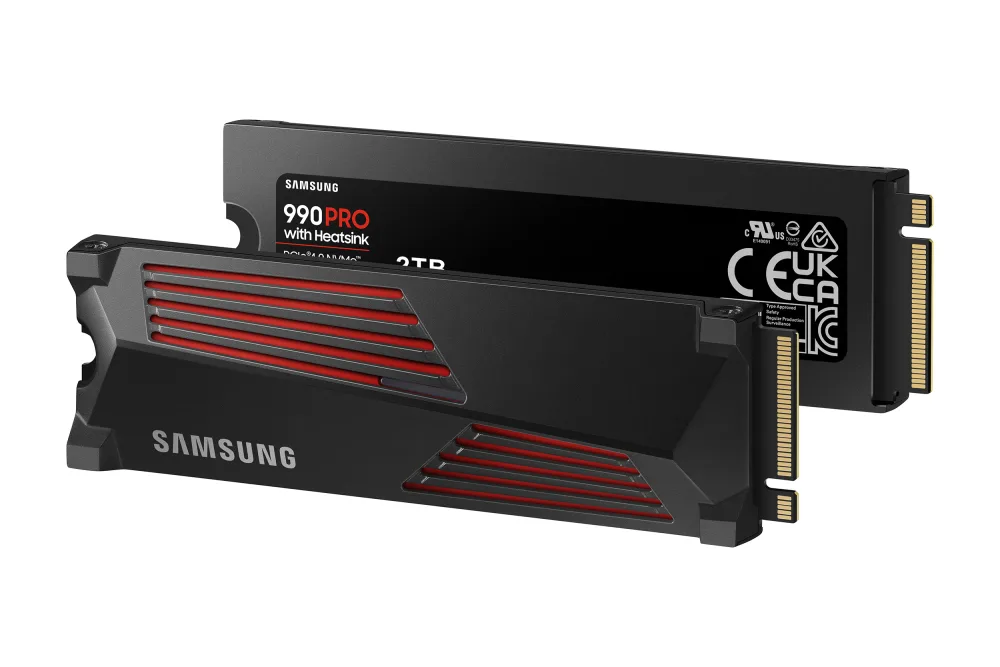
Samsung 990 PRO
WD_BLACK SN850P
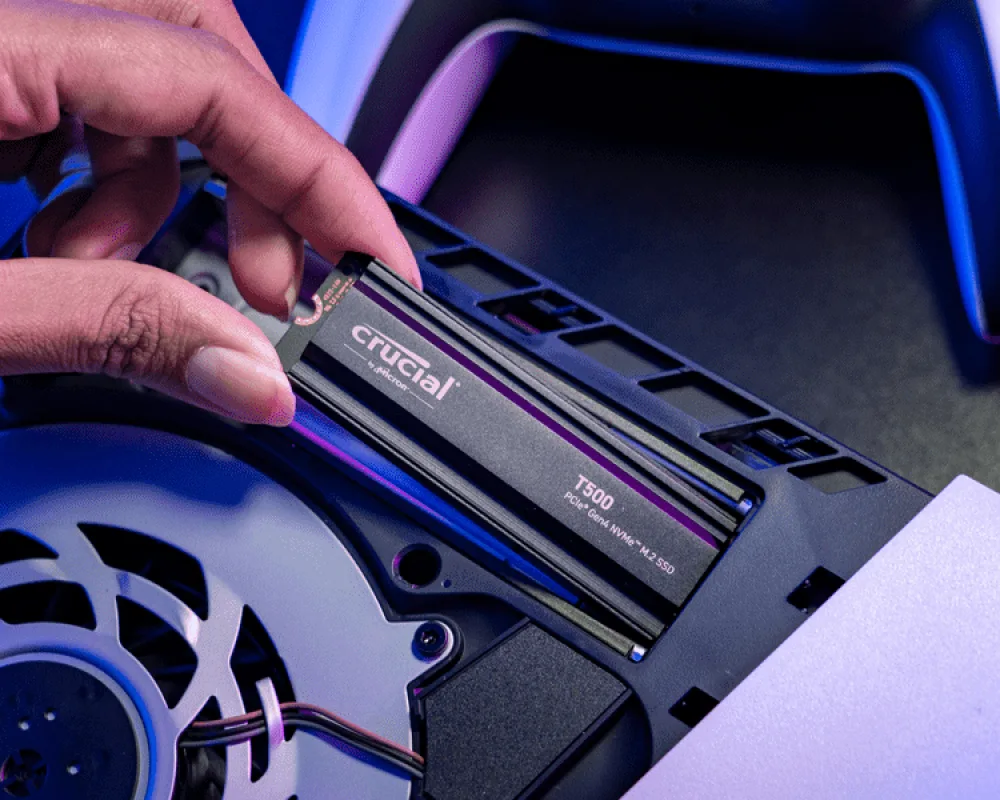
Crucial T500
How we scored them
Each SSD is rated from 1 to 5 on five comparison points, based on how its official specification compares with the other two. The overall score is the average. We don’t score price for this category: SSD prices have swung widely in 2026, and the cheapest of the three changes from week to week. Read our full method.
| Comparison point | Samsung 990 PRO | WD_BLACK SN850P | Crucial T500 |
|---|---|---|---|
| Read speed Sequential read — what matters most for game loading. PS5 recommends 5,500 MB/s or faster. |
5/5 | 5/5 | 5/5 |
| Write speed Sequential write — affects how fast games install and copy. |
5/5 | 4/5 | 5/5 |
| Endurance Rated terabytes written (TBW) for the 2 TB model. |
5/5 | 5/5 | 5/5 |
| Warranty Manufacturer warranty length. |
5/5 | 5/5 | 5/5 |
| PS5 fit & licensing Official PlayStation licence or manufacturer PS5 compatibility, heatsink included. |
4/5 | 5/5 | 4/5 |
| Overall score (average) | 4.8/5 | 4.8/5 | 4.8/5 |
1. WD_BLACK SN850P — the officially licensed choice (4.8/5)
The SN850P is the only drive here officially licensed for PS5, and its heatsink is designed specifically for the console’s slot. It reads at up to 7,300 MB/s and writes at up to 6,600 MB/s — slightly slower writes than the other two, which only matters when installing or copying games. Endurance (1,200 TBW) and warranty (5 years) match its rivals.
The official licence brings peace of mind, but it has historically cost more than WD’s otherwise similar SN850X. Compare prices before you buy.
Not for you if: another drive in this list is noticeably cheaper today.
✔ Pros
- Officially licensed for PS5
- Heatsink designed for the PS5 slot
- 1,200 TBW and 5-year warranty
✘ Cons
- Slowest write speed of the three (6,600 MB/s)
- Often priced higher than equivalent drives
2. Samsung 990 PRO with Heatsink — fastest reads (4.8/5)
Samsung’s 990 PRO has the highest sequential read speed here at up to 7,450 MB/s, with writes up to 6,900 MB/s and a 2 GB LPDDR4 cache on the 2 TB model. Its heatsink keeps it to 8.2 mm thick, comfortably under the PS5’s height limit, and Samsung lists it as PS5 compatible. Endurance is 1,200 TBW with a 5-year limited warranty.
It isn’t officially licensed by PlayStation, and Samsung’s own store price has been high in 2026 — check retailers.
Not for you if: you want an officially licensed PS5 accessory.
✔ Pros
- Fastest reads here (7,450 MB/s)
- 2 GB DRAM cache
- Slim heatsink (8.2 mm)
✘ Cons
- Not officially PlayStation-licensed
- Price varies widely
3. Crucial T500 with Heatsink — fastest writes (4.8/5)
Crucial’s T500 has the fastest writes in this comparison at up to 7,000 MB/s, with reads up to 7,400 MB/s. It uses a Phison E25 controller, Micron 232-layer TLC NAND and a 2 GB DRAM cache, with 1,200 TBW endurance and a 5-year limited warranty. Crucial says the heatsink version meets PS5 specifications and is easy to install.
Like Samsung, it’s PS5-compatible rather than officially licensed. Make sure you buy the heatsink model (CT2000T500SSD5 for 2 TB).
Not for you if: you want an officially licensed drive.
✔ Pros
- Fastest writes here (7,000 MB/s)
- 2 GB DRAM cache
- 1,200 TBW and 5-year warranty
✘ Cons
- Not officially PlayStation-licensed
- Heatsink and non-heatsink versions look similar online
Which one should you buy?
- Best overall: whichever of the three is cheapest today — the performance difference on PS5 is negligible.
- You want an official PlayStation product: WD_BLACK SN850P.
- You’ll also use it in a PC later: Samsung 990 PRO or Crucial T500, for their faster writes.
- You have an Xbox Series X|S: none of these — see the FAQ below.
Frequently asked questions
Can I use these SSDs in an Xbox Series X or S?
No. Xbox Series X|S consoles don’t have an M.2 slot for internal upgrades. To expand storage that can run Series X|S games, you need a proprietary Storage Expansion Card, such as those from Seagate or WD_BLACK.
Do I need a heatsink for a PS5 SSD?
Sony recommends a cooling structure such as a heatsink. All three drives here are the versions with a heatsink pre-fitted, sized for the PS5 slot.
Will games load faster from the new SSD?
Not noticeably. Any drive that meets Sony’s 5,500 MB/s recommendation performs similarly to the internal storage. The benefit is space, not speed.
How do I install an SSD in a PS5?
Update the console’s system software, power it down and unplug it, remove the cover to access the M.2 slot, fit the drive and secure it with the screw, then format it when the PS5 prompts you. Sony’s support site has step-by-step instructions for each PS5 model.
Our verdict
On specifications, the Samsung 990 PRO, WD_BLACK SN850P and Crucial T500 are effectively tied for PS5 use. Let price decide — and if prices are close, choose the WD_BLACK SN850P for its official PS5 licence.
Sources
- Samsung — 990 PRO with Heatsink datasheet
- Samsung — 990 PRO with Heatsink 2 TB product page
- Sandisk / WD_BLACK — SN850P NVMe SSD for PS5
- TechPowerUp — Crucial T500 2 TB review (controller, NAND, endurance)
- Tom’s Hardware — Best PS5 SSDs
Specifications checked on 9 October 2026. PS5 requirements as published by Sony Interactive Entertainment.